

Fioptics+ TV
-
-
 Where can I find a user guide to my Hawaiian Telcom TV?
 Where can I find a user guide to my Hawaiian Telcom TV?
-
Where can I find TV Channel Lineups?
Where can I find TV Channel Lineups?
-
Why can broadcast TV stations charge for carriage of their signals?
Why can broadcast TV stations charge for carriage of their signals?
-
Why do you treat local broadcast TV stations differently than you do cable networks?
Why do you treat local broadcast TV stations differently than you do cable networks?
Show More Show Less -
-
-
Am I required to lease a Fioptics+ set top box?
Am I required to lease a Fioptics+ set top box?
-
Do I need a Google account to use the TiVo device?
Do I need a Google account to use the TiVo device?
-
How do I clear the cache on my Fioptics+ device?
How do I clear the cache on my Fioptics+ device?
-
My remote control isn't working.
My remote control isn't working.
Show More Show Less -
-
-
How do I control a video I am watching On Demand?
How do I control a video I am watching On Demand?
-
How do I log into the app on my streaming device?
How do I log into the app on my streaming device?
-
How do I navigate the guide?
How do I navigate the guide?
-
What is TV Everywhere?
What is TV Everywhere?
Show More Show Less -
-
-
Do I need to be home for my installation?
Do I need to be home for my installation?
-
How can I change the background video when in menus?
How can I change the background video when in menus?
-
How do I check the wireless signal strength on my Fioptics+ set top box?
How do I check the wireless signal strength on my Fioptics+ set top box?
-
How do I enable Closed Captioning in Hawaiian Telcom Fioptics+?
How do I enable Closed Captioning in Hawaiian Telcom Fioptics+?
Show More Show Less -
-
-
All of my TV's are not working, what should I do?
All of my TV's are not working, what should I do?
-
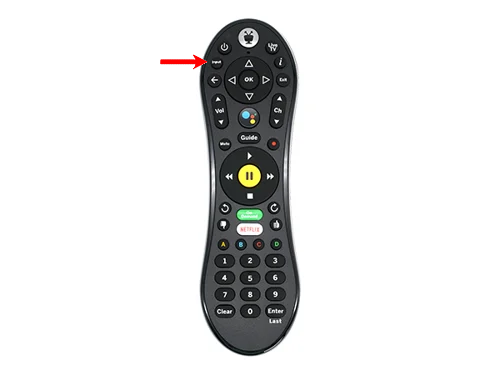
How do I change the input on my TV?
How do I change the input on my TV?
-
How do I reboot my set-top box?
How do I reboot my set-top box?
-
What do I do if I am having picture issues? (Why is my TV's picture distorted?)
What do I do if I am having picture issues? (Why is my TV's picture distorted?)
Show More Show Less -
-
-
Fioptics+ TV Remote
Fioptics+ TV Remote
-
Fioptics+ Internet Self-Install
Fioptics+ Internet Self-Install
-
Fioptics+ Google Assistant
Fioptics+ Google Assistant
-
Fioptics+ Menu
Fioptics+ Menu
Show More Show Less -
-
-
How do I set up favorite channels?
How do I set up favorite channels?
-
How to restart your Fioptics+ set top box
How to restart your Fioptics+ set top box
-
Quickly access Apps and Games
Quickly access Apps and Games
-
Using the TiVo button
Using the TiVo button
Show More Show Less -
-
-
Fioptics+ Welcome Guide
Fioptics+ Welcome Guide
-
Fioptics+ Quick Start Guide
Fioptics+ Quick Start Guide
-
Fioptics+ Mobile App Guide
Fioptics+ Mobile App Guide
-
Fioptics+ Recording Guide
Fioptics+ Recording Guide
Show More Show Less -
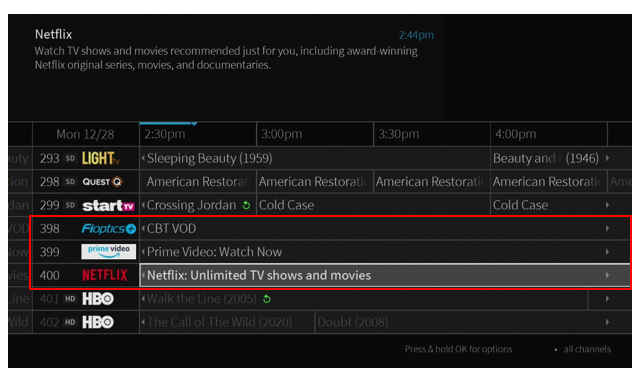
.jpg?language=en-US "Guide Navigator HT Res TV")
.png?language=en-US "Installation&Setup TV Res 1")
.png?language=en-US "Installation&Setup TV Res 2")
.png?language=en-US "Installation&Setup TV Res 3")
.png?language=en-US "How do I hide adult content photo")
.png?language=en-US "Installation&Setup")